What you need
- macOS 14 or later on an Apple silicon or Intel Mac.
- An installed, working Claude Code or Codex CLI. Prepare both tools to use both providers in one team.
- Access to model usage through your chosen provider. The Arenor trial does not include provider usage.
- A local project folder. Git is optional; worktree isolation needs a Git repository with an existing commit.
Open the app
- Download the Arenor DMG from this site.
- Open the disk image, move Arenor to Applications and launch it from there.
- Start the three-day free trial or enter your existing license key. The trial does not require a card.
Connect your tools
- Open Settings → Accounts. Check the installation path and sign-in status for Claude Code or Codex.
- If a tool is missing, follow its official installation documentation. Arenor does not install the CLI package for you.
- Complete the provider’s sign-in flow if needed. Your provider account determines model access and usage limits.
Start with a small task
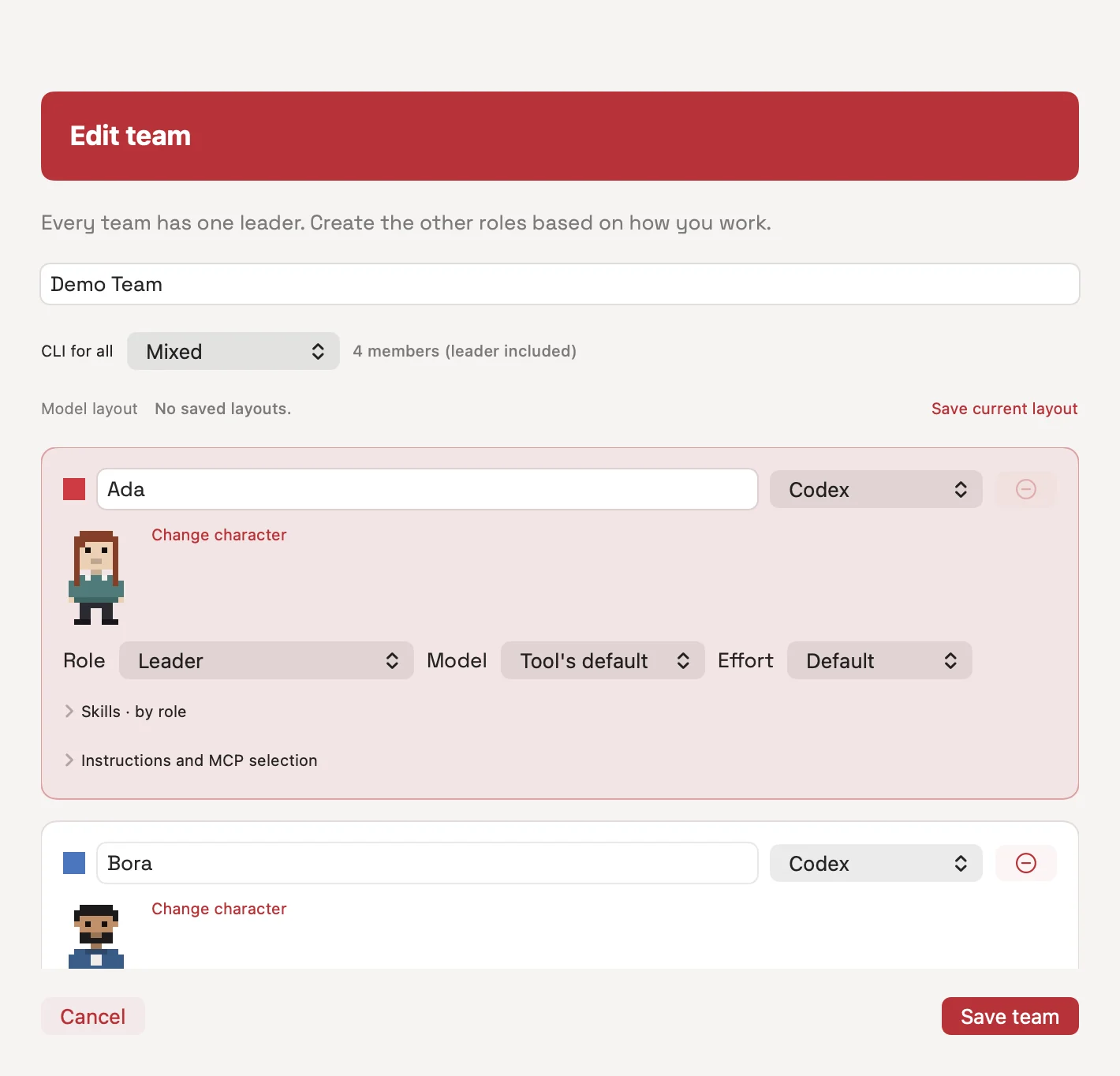
Create a team with a Leader, choose member roles, providers and models, then attach the project root folder. Ask for one behavior change and a test that checks it.
Change the button label from “Save” to “Save changes”.
Edit only the relevant UI file.
Run the existing test and report its result and the changed files.Choose how to work, then review
With isolation off, the team works in your project folder. With Git worktree isolation on, a run gets a separate folder starting from HEAD; uncommitted changes in the main folder are not copied. A worktree creation failure can fall back to the main folder, so check the app’s status message.
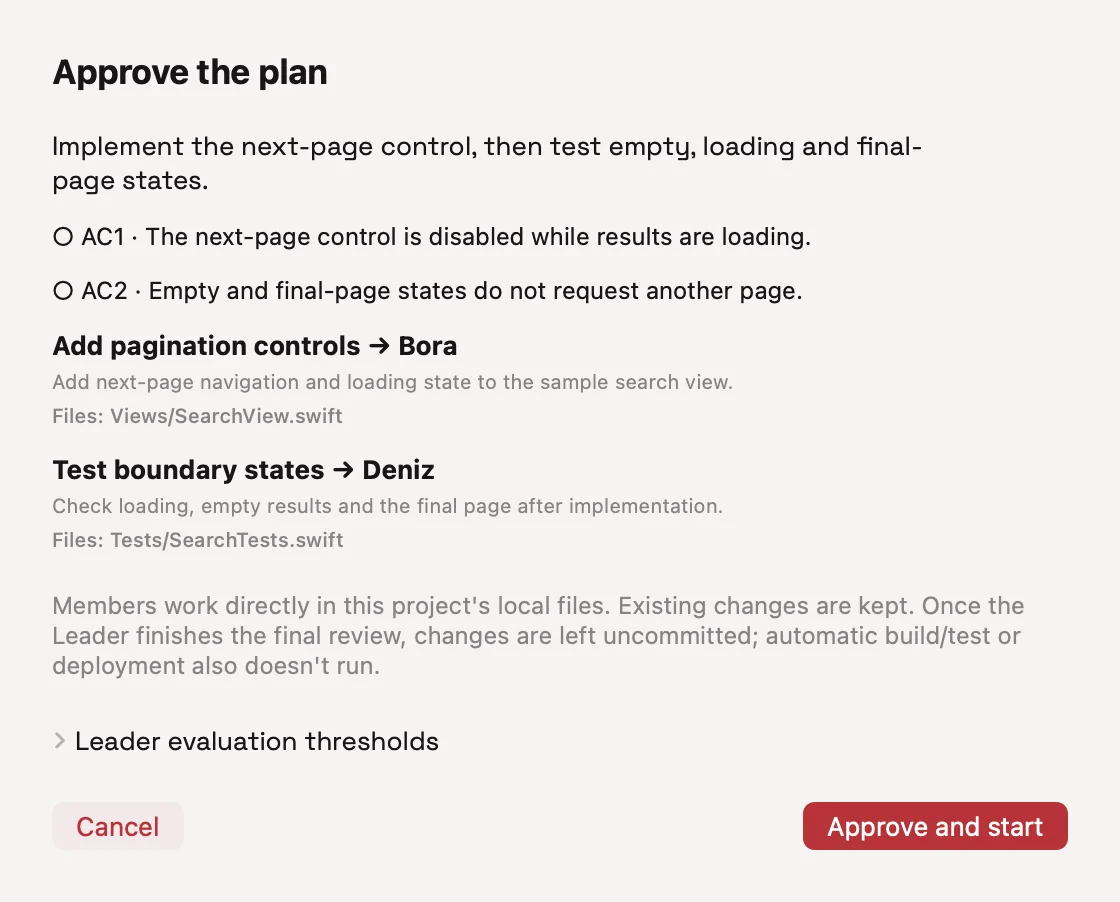
Review the plan’s scope, dependencies and approval mode. Automatic approval settings affect how plans start. After the run, inspect the diff, test output and Reviewer findings. Eligible Git runs offer a separate choice to commit or push.
Questions
Do I need Xcode?
You do not need to open an Xcode project to run the downloaded app. Your own project may need additional build tools.
Where is the iPhone download?
The mobile companion is currently for the developer’s local use. It is not included in the public Mac download.
A two-screen tour
1. Assign roles and tools to a team. 2. Give your project a small task. 3. Review the proposed plan, file scope and approval mode. These screens use sample data; they are not a result log from a live AI task.