
01 · ILLUSTRATIVE WORKFLOW
One goal. A team with clear roles.
Your Leader breaks the work into tasks. Developers, designers and testers work from the same plan, each with a clear responsibility.
3-day free trial · No card required · macOS 14+
Your Leader breaks the work into tasks. Developers, designers and testers work from the same plan, each with a clear responsibility.
Choose your approval mode, then follow file changes, test records and your Leader’s findings within the same run.
Ask Aren about your teams, tasks and past decisions. Keep workspace memory in readable Markdown files.
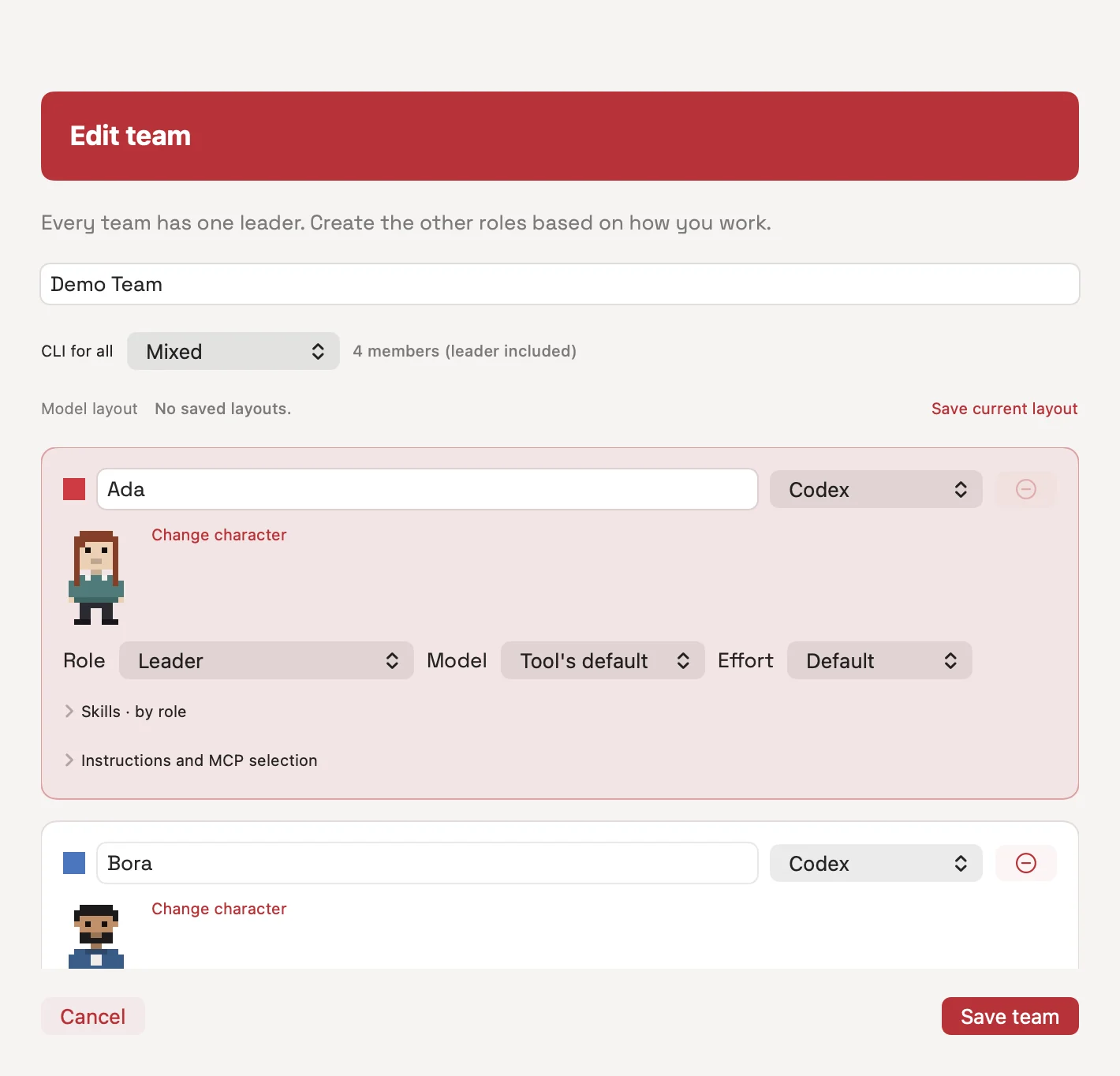
Choose your Leader and team members. Set coding agent, model and effort options for each member.
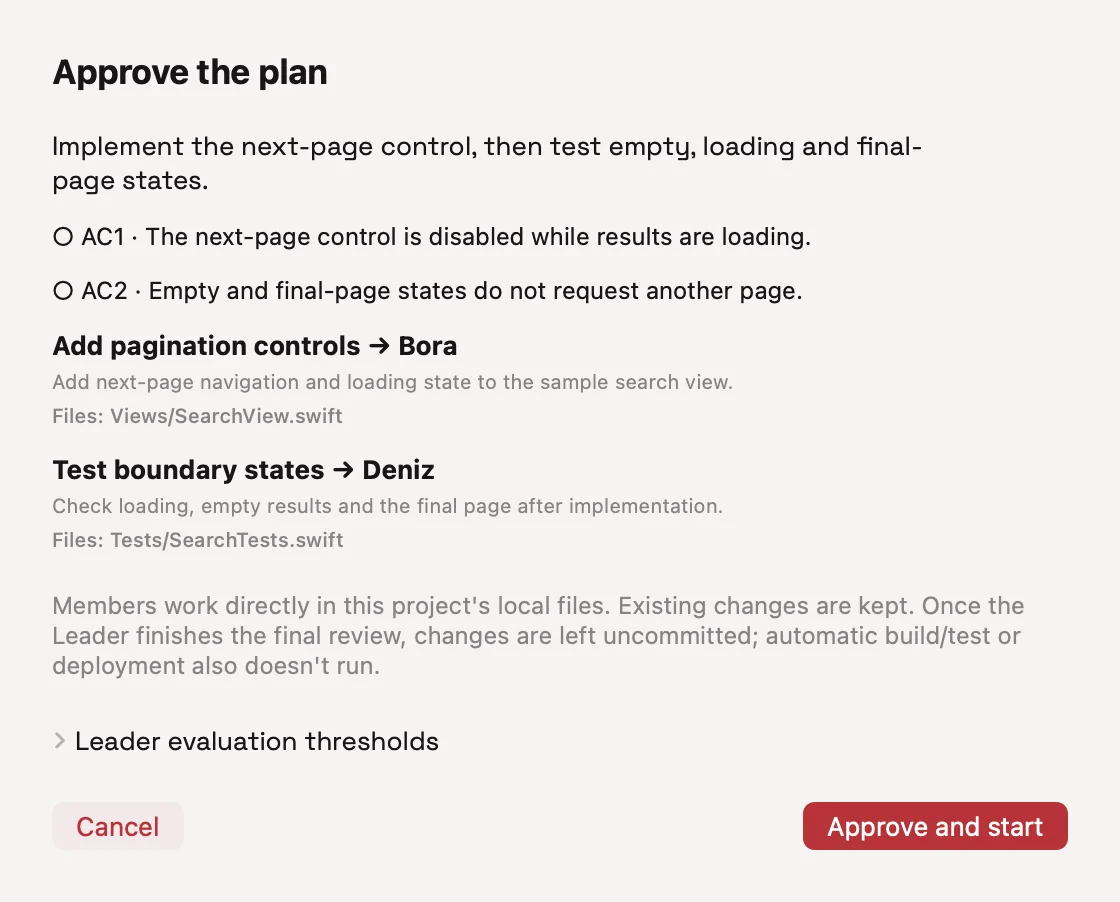
Your Leader puts tasks, owners and acceptance criteria into a plan. Your approval mode determines whether work proceeds manually or automatically.
macOS 14 or later. Apple silicon and Intel. Follow the setup guide through to your first team.
Setup guide →Workspace records are stored on your Mac. AI requests go to connected providers; licensing and update services run separately.
Review the data flow →Guides for your first task, agent connections, permissions and licensing. Reach support when you need help.
Support and documentation →Arenor lets you build a team from AI coding agents installed on your Mac. Describe your goal; a Leader plans the work and assigns independent tasks to members. Follow progress, permissions and changes in one workspace.
No. The Arenor license covers the app. Connected coding agents and AI services use your own accounts and their providers’ terms; model access is separate.
You can assign Claude Code, Codex, Gemini CLI and opencode to team members. The catalog links to setup documentation for Cursor CLI, GitHub Copilot CLI and Aider; running team tasks with those three tools is not yet available.
AI tools can change project files and send relevant context to their providers. Review permissions and changes. Git worktree isolation is optional; a failed setup may continue in the main folder. Undo is not guaranteed for every file.
The setup wizard checks tools and helps you create a team. Install and sign in to each coding agent separately. The setup guide walks through your first task.
Use Claude Code in Arenor with roles, tasks, project history and approvals. Connect your agent account and add Codex members to the same team.
INTEGRATION · CODEXConnect Codex CLI to Arenor for roles, tasks, approvals and review. Coordinate work with Claude Code members in the same project.
GUIDE · AGENT COORDINATIONCoordinate Claude Code and Codex with clear file ownership, task dependencies and test evidence. A practical team workflow for Mac developers.
Download Arenor, build your team and start with a small task.
Download for Mac3-day free trial · No card required · macOS 14+